
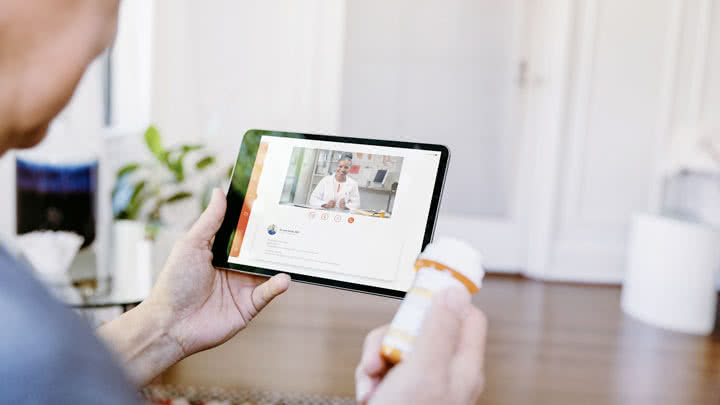

Let’s face it. The pandemic has redesigned the world. For good. The scenario in medical technology and medical consultation is no different.
Telemedicine consultation is defined as the use of videoconferencing technologies to conduct a medical consultation where audio and visual information is exchanged in real time.
Telemedicine allows patients to have a remote, non-emergency office visit with their health care provider by using a smartphone, computer or tablet. Research shows most patients are highly satisfied with telemedicine visits, and in most instances these visits are as good as in-person visits.
Because of the COVID-19 pandemic, analysts for Forrester Research predicted virtual health care interactions could top more than one billion by the end of 2020.
It’s safe, effective, cheap and comfortable in selected medical conditions. There are different ways telemedicine is being utilised.

Figure 1. How Doctors Use Telemedicine and How Patients Benefit.
Adapted from the American Telemedicine Association. ICU denotes intensive care unit.
Here we are going to discuss the doctor to patient interaction mode of teleconsultation and how to avoid the common mistakes that happen during a teleconsultation. We will be going into as to how you can get the maximum benefit from a teleconsultation appointment.
Before we dive inti it let us answer a common question that most of us ask.
Is Telemedicine as Good as an In-Person Visit?
In situations where telemedicine is appropriate, telemedicine visits are typically just as good as in-person visits, according to the American Telemedicine Association (ATA). They may also be less expensive than in-person visits.
The ATA reviewed a large number of telemedicine studies for cost effectiveness and quality of care in its 2013 report, Telemedicine’s Impact on Healthcare Quality and Cost.
“For most telemedicine applications, studies have shown that there is no difference in the ability of the provider to obtain clinical information, make an accurate diagnosis, and develop a treatment plan that produces the same desired clinical outcomes as compared to in-person care when used appropriately,” the ATA said.
A more recent review of studies, performed in 2018, similarly found that in most cases, telemedicine visits were as good as in-person care.
So now, as we know that telemedicine consultation is a good option and is growing in popularity, let’s go thru the 7 common mistakes we make during a tele consultation visit and how you can avoid them.
1.Which button do I click ?- Figure out your tech.

Figure out you’re your technology well in advance and if u are not sure of it or if you are not tech savvy, get one of your close family member to do it for you.
If you haven’t visited with a particular healthcare provider via telehealth before, find out the specifics well in advance.
Download any software you need, create an account if necessary, make sure your equipment is capable and, if possible, do a trial run with your connection.
Again, waiting until just before your appointment to try to get this set up could lead to you being unable to connect, resulting in a lost appointment and wasted time all around.
2.Not preparing for the virtual visit-Prepare.. Prepare

“Being organized with anything that concerns you is even more important when the doctor doesn’t see you in person and can’t notice health issues that might be more obvious in person.”
Diana Zuckerman, president National Centre for Health Research
So if u want to make the most of the visit the preparation is everything.
Just as with an in-person office visit, you should write these things down ahead of time. Jot down details of medical problems, such as your symptoms and when they started.
You also may want to record your vital signs ahead of time or have on hand devices such as your home blood pressure monitor, pulse oximeter, glucometer and thermometer, in case your doctor needs you to check these measurements during the visit.
Sometimes, it’s good to bring a loved one to a doctor visit to help remember what’s said, to take notes, and to ask questions on your behalf. The same is true for a telemedicine visit. Also, it can be helpful to have someone else there who can hold your phone up to any areas on your body you may need to show the doctor.
3.I don’t remember!-Organise.

Have prescription bottles in front of you in case they need to be verified or discussed. Also have your pharmacy information on hand and notify your doctor of any new prescriptions.
Prepare and have a list of the names and locations of hospitals and specialists that have treated you since your last visit and any medical records you have.
4. I can’t hear a thing !Find a quiet place

You don’t want your virtual appointment interrupted by your roommate, the kids or your pet. So find a quiet spot for your consultation.
In addition, turn off the TV or radio so your call is not interrupted by ambient background noise and to reduce distractions during the appointment.
In fact, you may want to use ‘earbuds’ or headphones to further reduce outside noise during your call or videoconference.
5. I am a Multitasker- Be fully focussed

Another mistake is allowing yourself to get distracted by what’s around you. Don’t do dishes or fold laundry while talking to the doctor. Yes, you may typically multitask to get everything done—but telehealth needs your full focus.
Your doctor’s primary concern is your health, but if worry over what your lodgings may look like on-screen are keeping you from telemedicine, see if you can do the call from another location.
6.Lights out !-Lights, camera ,action!

Lights
Make sure your doctor can see your face. Also the room is properly lit up. Don’t sit in front of a bright window or light, which could cause backlighting and leave you as a silhouette on-screen. Repeatedly check the camera so that your face is displayed properly.
Camera
Make sure the camera is appropriately positioned and in a stable position so you don’t have to worry about it after you start the teleconsultation.
Action
Sometimes the doctor will ask you do certain movements to check on various joints or your spine to bend. Make sure that you gave enough space for you to do these manoeuvres or even for a short walk to show the doctor how you move. If there’s not enough space you can record a video of these and show the doctor the pre-recorded version of the same.
Also a good idea to take a good quality picture of the scar or the wound so that the doctor can make an assessment because over the live video teleconsultation the quality may not be as great as a good quality picture
7. Bringing serious and emergency issues to the consult

Do not wait for your condition to deteriorate to an emergency situation. If you feel unwell or in an emergency situation it is better to go to emergency department rather than wait for the teleconsultation. In fact the doctor’s advice in such a situation will also be to attend the closest emergency department.
8. Go off track!–Stick with the below plan

Have a plan.
When the teleconsultation starts after the necessary verification is done, go thru the below list step by step :
- A. Give a detailed and comprehensive history of your condition.
- B. Have a list of your symptoms. For example : pain in my lower back, numbness over my right leg , pain over my shoulder etc. and go thru each in a systematic manner.
- C. Explain the duration of each symptom and how it progressed till date.
- D. State any pre-existing conditions you have.
- E. If you take medication for any of these conditions, list those as well, along with any additional medicines or supplements you currently are taking.
- G. Have pictures or videos that you have which can help with the consultation. For example of the scar or wound or any rash.
- I. Listen and take notes when the doctor explains the treatment.
- J. Read it back to the doctor so that there is no ambiguity.
- K. Clarify about the medications and side effects and the emergency contact number.
- L. Clarify the follow up appointment if any.
9. No plan B- Have a backup plan

Have a backup plan in case the connection breaks or the meeting ends abruptly or a number you can contact to rectify the situation.
Also be prepared to go to emergency or an inpatient consultation as per the doctors advise. If u r directed to the emergency, remember to bring your notes from your telehealth appointment to the in-person appointment so you can advise your doctor on the information you received during the virtual call.
https://evisit.com/resources/what-is-telemedicine/
See you soon with some more tips in My Spine World.Remember, we got your back!